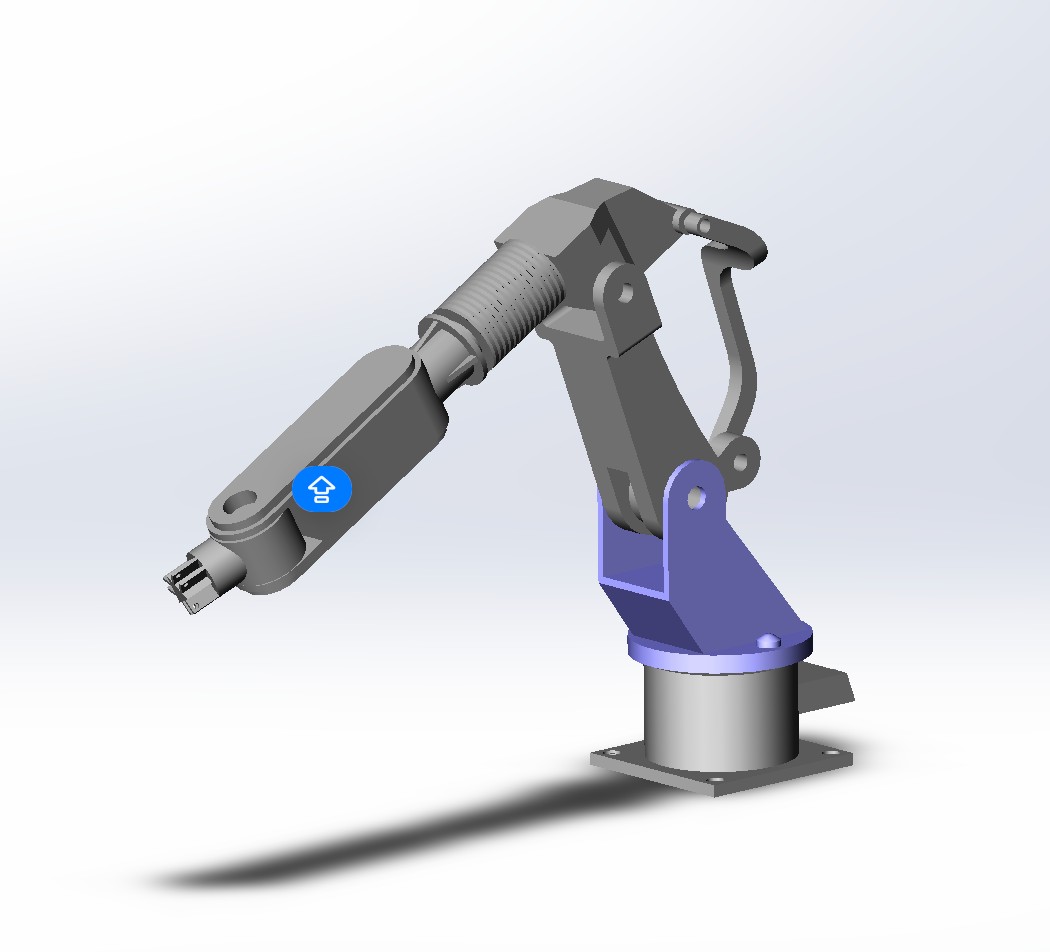
Industrial Robot Arm STEP File – What to Look for Before Downloading
If you are building an automation cell, the robot arm is usually the first part you drop into the layout. A good STEP file of an industrial robot arm saves you days of modeling and lets you verify clearances, mounting points, and cable paths before anything is ordered. A bad one wastes an afternoon and, worse, plants geometry errors that surface only at the fabrication stage.
Here is what to check before you download — or buy — a robot arm STEP file.
What a STEP file actually gives you
STEP (ISO 10303, usually .step or .stp) is the neutral exchange format that almost every CAD system reads natively: SolidWorks, Fusion, Inventor, NX, Creo, and FreeCAD all open it without conversion plugins. That is why STEP is the default deliverable for mechanical CAD libraries. It preserves the exact boundary representation of the geometry — surfaces, edges, and tolerances as modeled — so what you see in the viewer is what integrates into your assembly.
The trade-off is that STEP is geometry only. Feature history, sketches, and design intent are not carried over. If you need a fully parametric robot arm you can re-dimension, you want the native SolidWorks files (SLDPRT/SLDASM) as well — a good library provides both.
Six quality checks before you click download
1. Check the file size and level of detail. A credible industrial robot arm assembly is a dense part — housings, joints, bearings, flanges, and cable routings. If a "complete" arm comes in at under 10 MB, ask what is missing. Most production-ready arms with clean feature trees land between 40 MB and 120 MB across all format variants. Be equally suspicious of inflated sizes that turn out to be a single dumb solid with no internal structure.
2. Verify the format set. You want STEP for exchange, SLDPRT for editing, and SLDASM for the assembly structure with mates. A library that only offers STEP is hiding something — typically that the model is a mesh or an imported shell, not a designed assembly.
3. Check the feature tree, not just the render. "Designed, not scraped" is the phrase to look for. A real model has a named, ordered feature tree: base, rotation axis, shoulder, elbow, wrist, flange. A scraped or converted model shows one or two monolithic bodies. You can usually see this in the preview screenshots — exploded views and section views are good signals.
4. Confirm units and coordinate conventions. STEP files can carry millimeters, inches, or worse, no unit metadata at all. A robot arm built in inches dropped into a millimeter assembly will silently scale by 25.4. The product page should state units explicitly, and the model should sit on a sensible origin for machine layout work.
5. Read the license before you use it in a client project. Not every free download allows commercial use. If the arm is going into a machine you ship, the license must permit commercial integration and, ideally, modification. Paid model libraries normally grant this explicitly — free scraped collections often do not.
6. Check what version of your CAD it was built in. Feature-based files from a newer SolidWorks release may not open cleanly in yours. A stated minimum version (for example "SW 2018+") tells you the library actually tracks this.
What the geometry is for: layout planning, not just visualization
The real value of a robot arm STEP file is in the layout: does the arm reach the fixture at the required height? Does the end effector clear the guarding when the wrist rotates? Does the base plate match your mounting pattern? With a dimensionally correct model you answer these in CAD instead of on the shop floor.
That is also where a library like Mazi Models earns its place — the models are dimensioned assemblies with clean feature trees, built for engineers who need to verify these questions before spending capital.
What a solid robot arm model should include
- Articulated joints with correct axis placement (shoulder, elbow, wrist)
- A mounting base with bolt pattern
- An end-effector interface (flange) you can mate your tooling to
- Both exchange (STEP) and editable (SLDPRT/SLDASM) formats
- A stated minimum SolidWorks version
Before you buy: check the library's other models too
A robot arm rarely works alone. It sits on a table, feeds a conveyor, or works alongside a positioner. If the library also carries conveyors, grippers, and end effectors in the same style, your whole cell layout stays consistent instead of being an assembly of mismatched vendors. Consistency of origin and units across a library is itself a quality signal.
In the Mazi Models library that means the robotic welding and inspection station you can position beside the arm, the USB assembly line equipment, and the all-in-one equipment for the semiconductor industry — each delivered in the same STEP, SLDPRT and SLDASM set for SolidWorks 2018+.
Ready to try a production-grade arm model?
The Industrial Robotic Arm 3D Model from Mazi Models is a complete articulated arm with base and end effector, provided in STEP, SLDPRT, and SLDASM for SolidWorks 2018 and newer. Price is indicated as $50 with an exact quote by inquiry — the kind of checkable, documented model that keeps your layout honest. If you need a different reach, payload, or configuration, request a custom design and describe the cycle, the part, and the constraint — a modeler will build the mechanism around your numbers.